Recipe App
Your personalized cooking experience: Explore recipes, customize meal plans, create ingredient lists, and save your favorites.
Tool Used

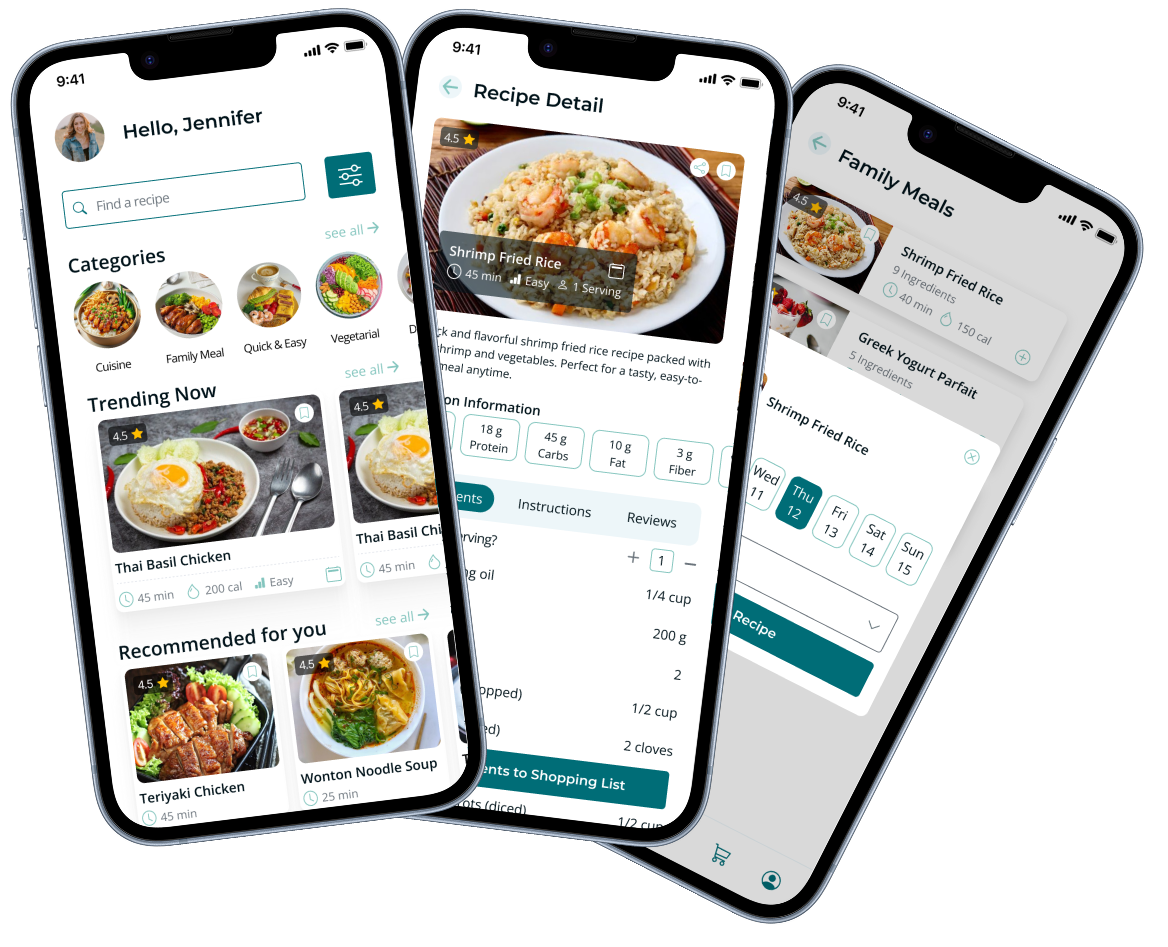
Your personalized cooking experience: Explore recipes, customize meal plans, create ingredient lists, and save your favorites.
Our recipe app is designed to be inclusive for conscious healthy eaters, vegans, halal eaters, and fast food lovers, while catering to various user personas. The app will offer curated recipes and meal planning tools tailored to different dietary preferences and lifestyles. The goal is to create an intuitive and visually appealing platform that simplifies the cooking experience and fosters community engagement.
Provide clear, easy-to-follow recipes that accommodate diverse dietary needs.
Optimize navigation to reduce time spent searching for recipes.
Encourage users to share, comment, and engage with recipes.
Offer features like meal planning, shopping lists, and dietary filters.
Ensure the app is inclusive of various diets and preferences.
Provide curated content that resonates with different user personas.
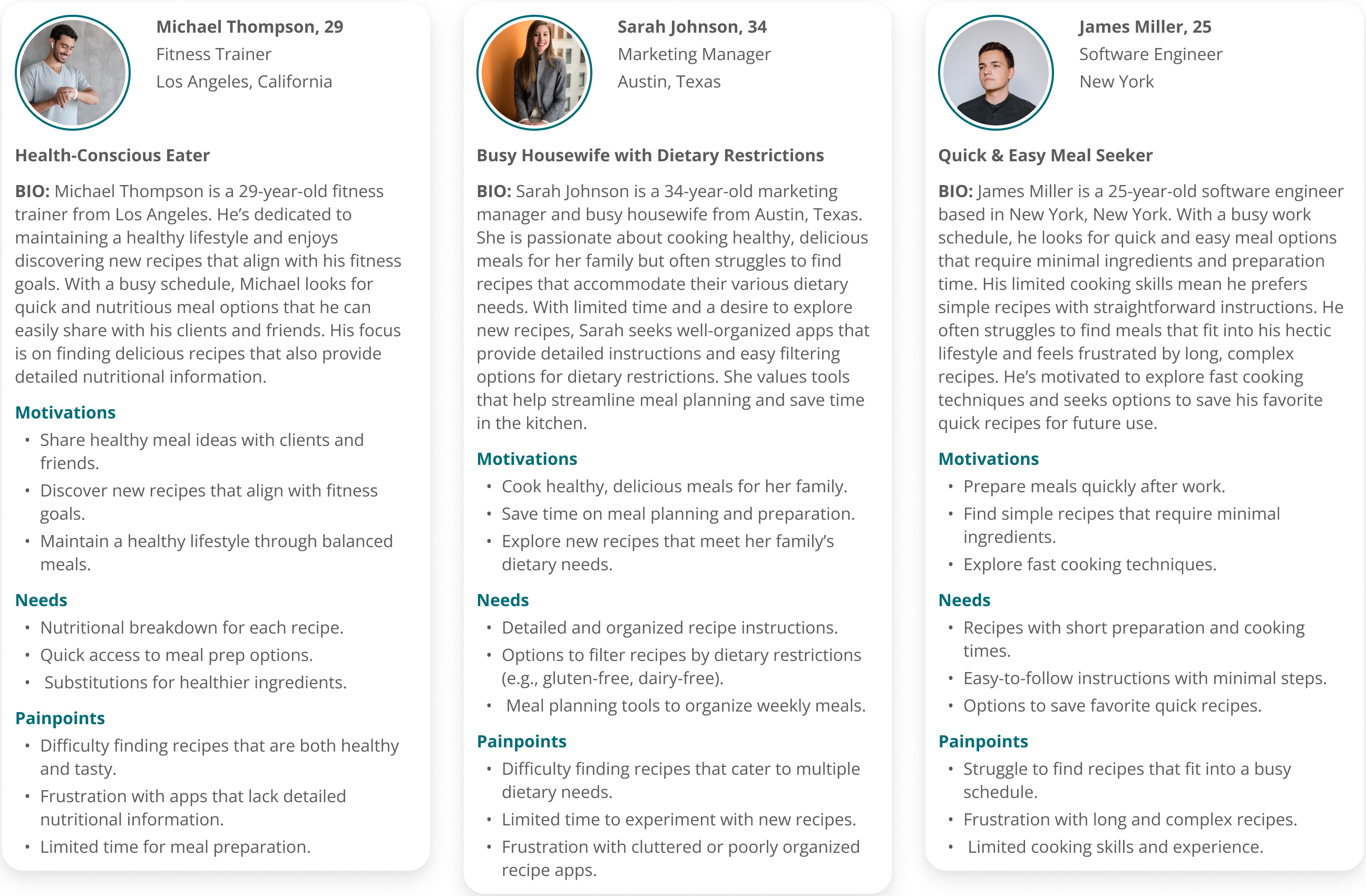
User stories help me understand the real needs and goals of my users. By using these stories, I designed specific features to solve the unique problems faced by different people.

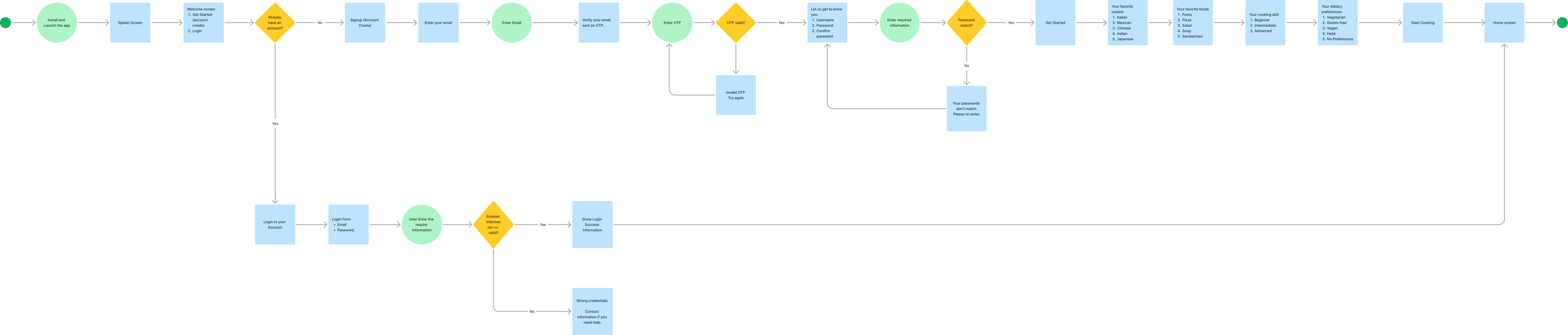
Before moving into the visual design, I mapped out the User Flow to ensure a seamless experience. This journey visualizes the step-by-step process of a user—from opening the app to searching for a recipe and adding it to their Meal Plan. This process helped me refine the app's logic and make every interaction feel smooth and easy to follow.
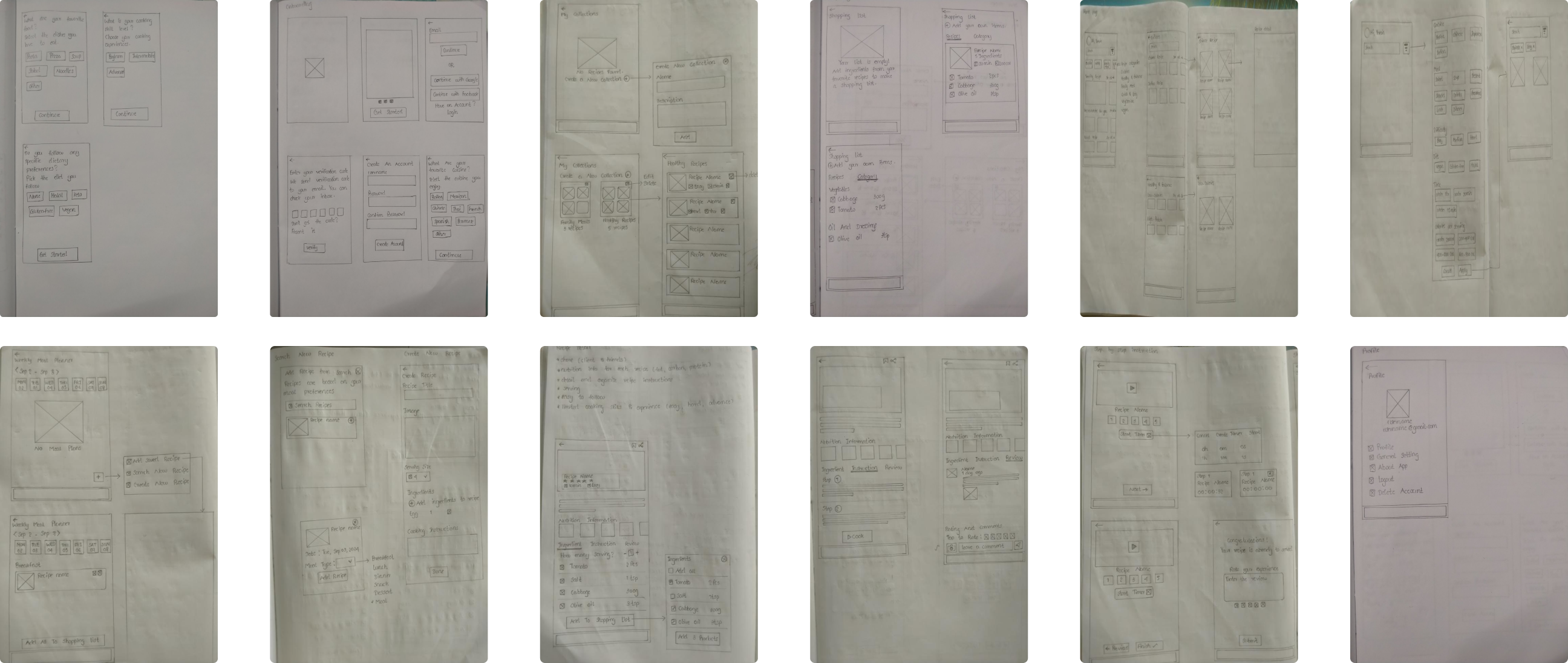
I began with paper sketches to explore different layouts. This process allowed me to iterate fast and ensure that searching, filtering, and following recipes felt user-friendly and clear. It was an essential step for turning complex information into a clean, simple design.
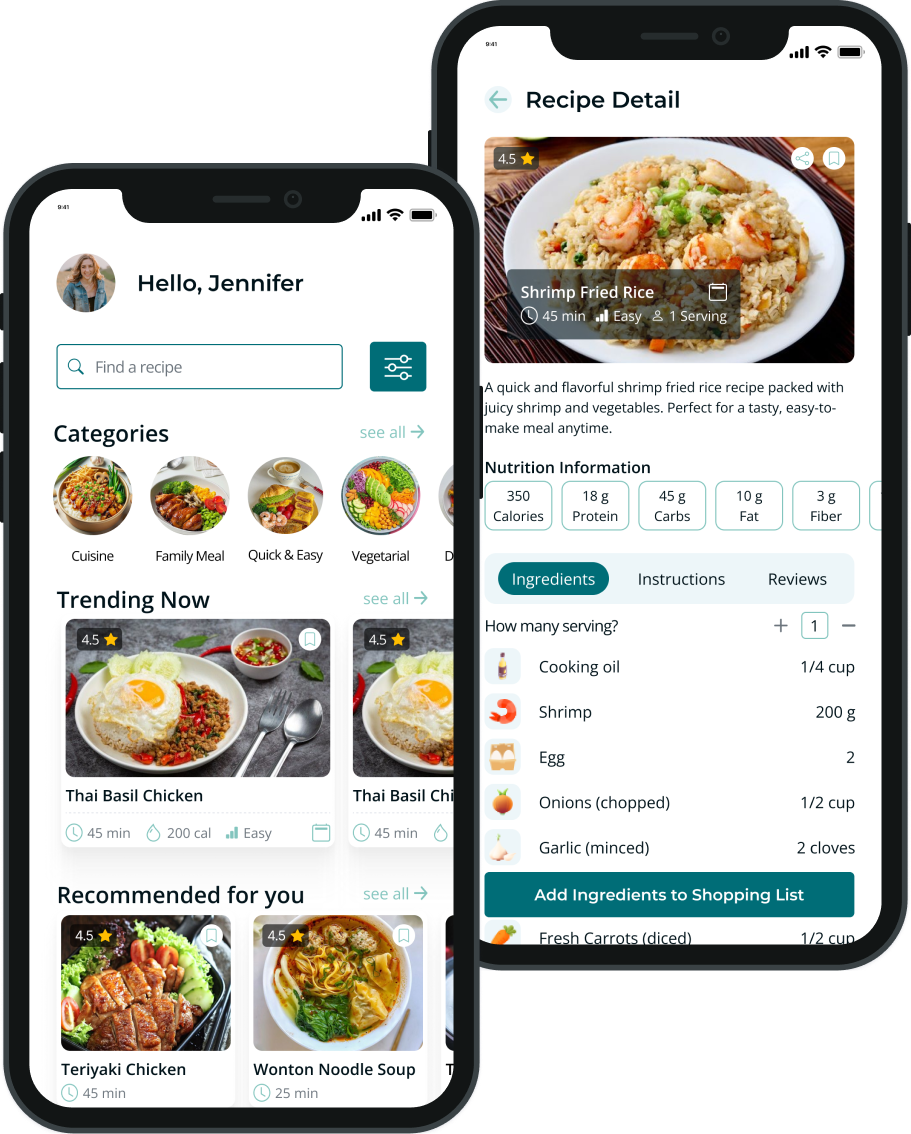
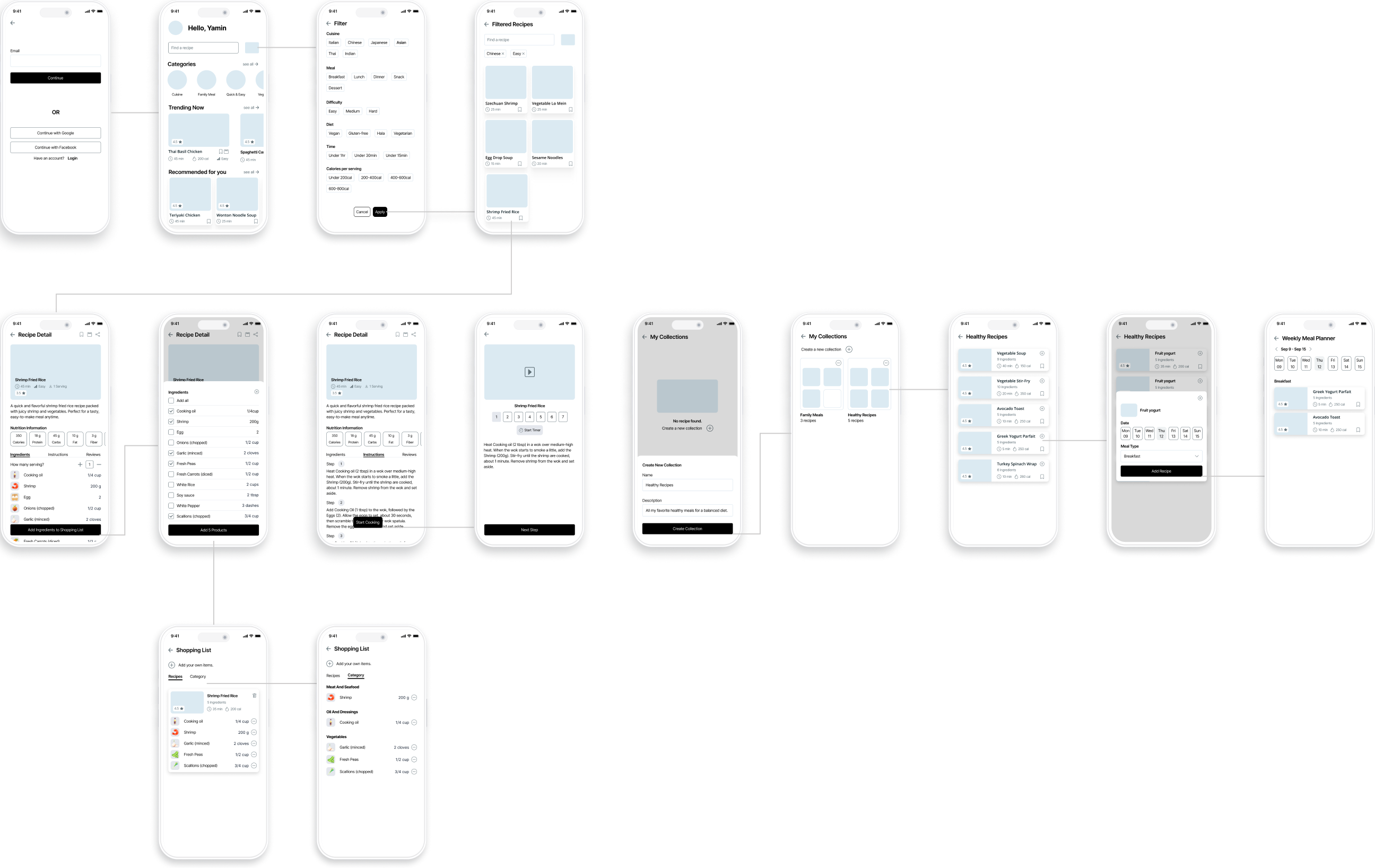
I created mid-fidelity wireframes based on my early paper sketches to build the app's structure, focusing on a clean layout and logical flow to make the cooking experience feel natural and effortless. Although I designed more than 30 screens to cover the entire user journey, I am highlighting the core features here—including the Home screen for easy discovery, Recipe Details for clear instructions, Save and Meal Plan options for organization, and the Shopping List for easy ingredient management.
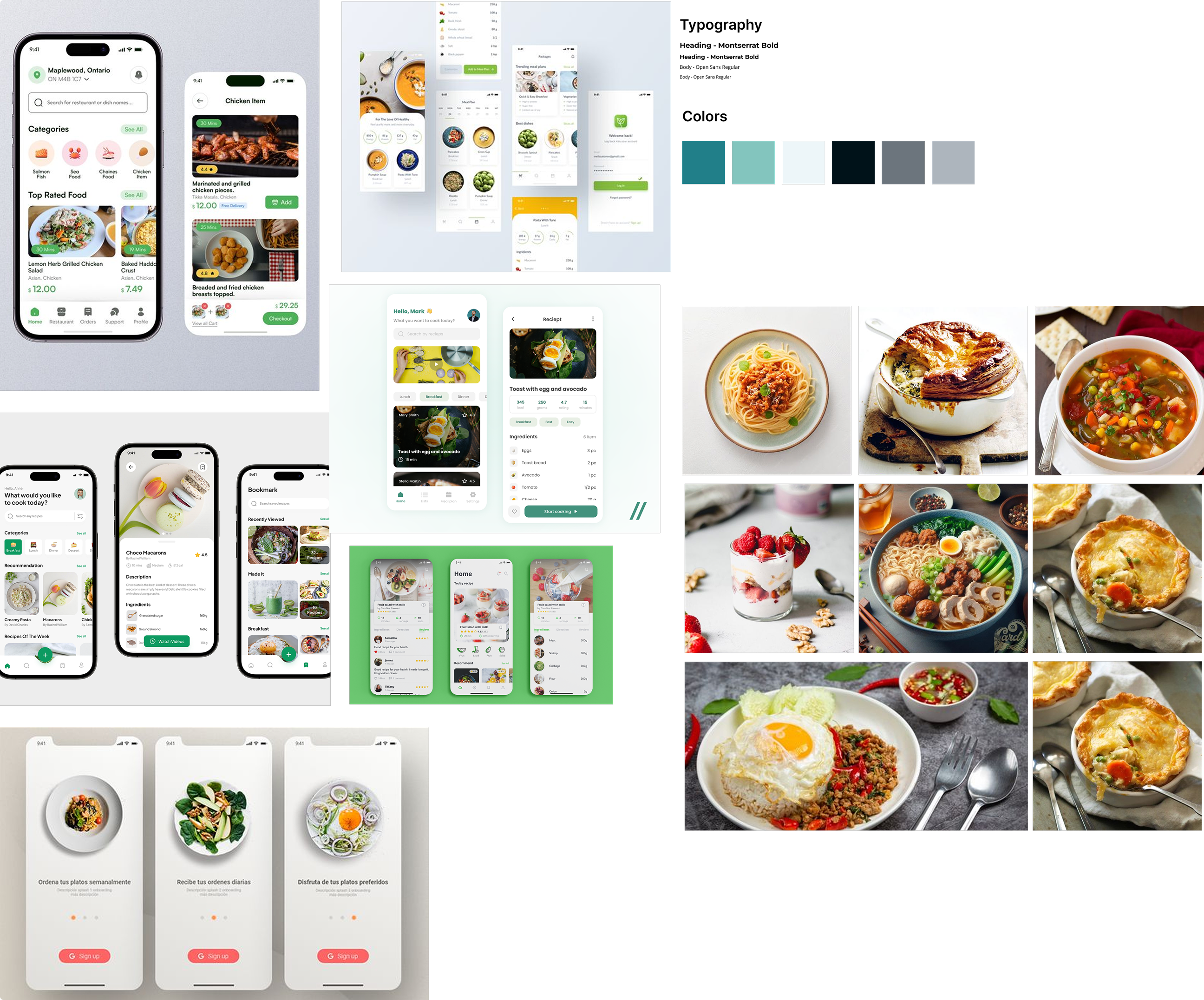
Before starting the visual design, I created a Mood Board to explore the app's aesthetic direction. To promote a healthy and fresh feeling, I selected a palette of vibrant greens and warm earth tones. For typography, I chose Montserrat and Open Sans to ensure the content is clear and easy to read. This step was essential for building a modern, clean, and appetizing look that inspires users to cook.

Explore the fully interactive prototype of the Recipe App to experience a seamless journey of creating meal plans, browsing recipes, saving recipes in collections, following step-by-step instructions, and managing shopping lists.
Click here to view the prototype!
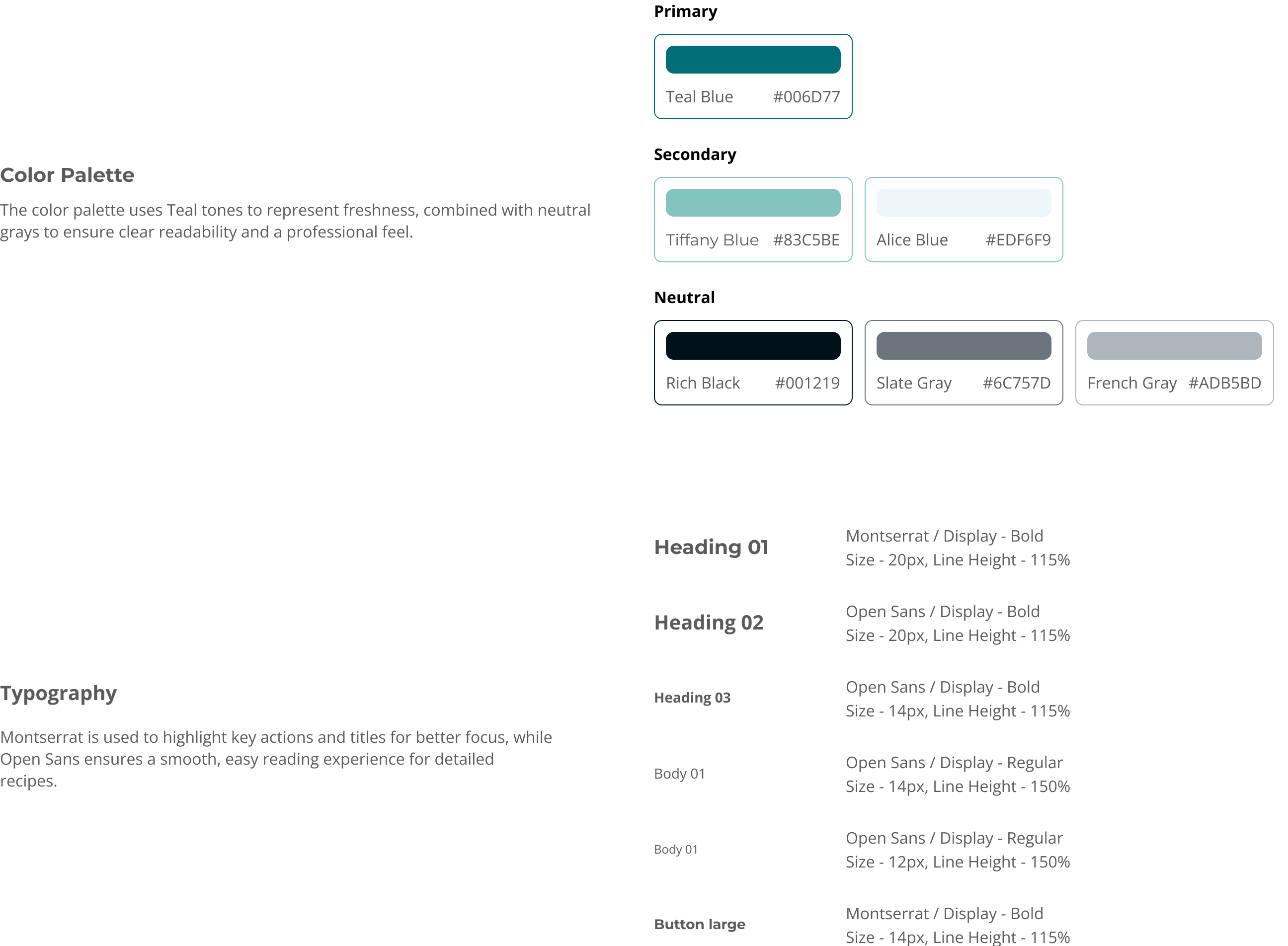
A Style Guide was created to maintain visual consistency and ensure a professional user experience across the entire app.